10 Free AI Tools You Probably Haven't Tried in 2026
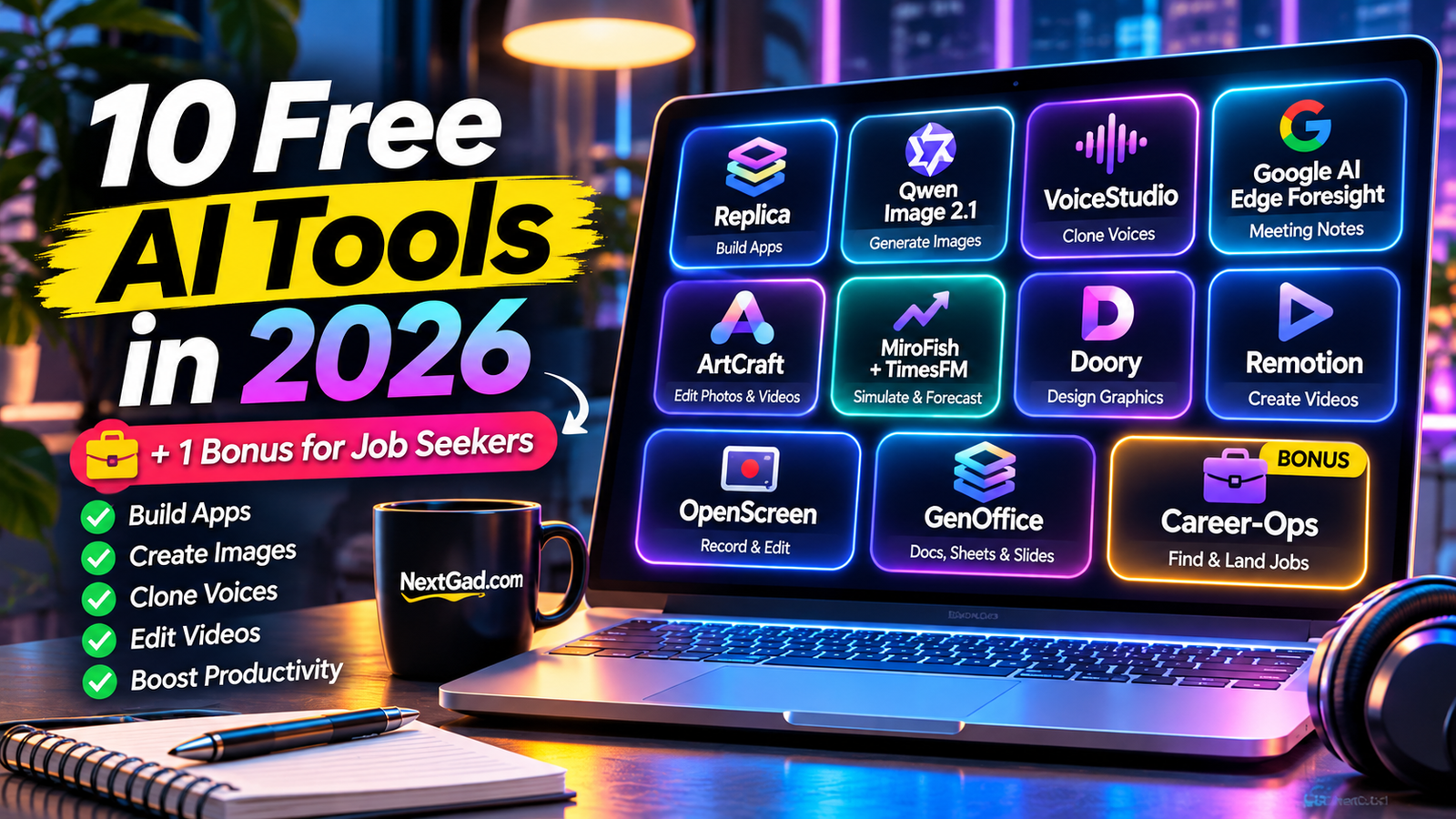 10 Free AI Tools You Probably Haven't Tried in 2026 (Plus One Bonus)
Updated: November 2026 | NextGad
Most lists of free AI tools recommend the same familiar names. Chatbots, image generators, and writing assistants are useful, but they barely scratch the surface of what today's software can do.
What if you wanted to build an app without starting from scratch? Create videos without paying for another subscription? Record meetings without uploading private conversations to a cloud service?
Those are the kinds of problems we're exploring here.
Inspired by a recent video highlighting lesser-known AI and open-source projects, we put together this practical guide to 10 interesting tools and one bonus option for job seekers.
Some are genuinely free for eligible users. Others are experimental, require technical setup, or have licensing restrictions. And not every tool on this list uses AI for every feature.
The goal isn't to collect more apps. It's to find a few that solve problems you actually have.
Quick Comparison: Which Free AI Tool Should You Try?
| Tool | Best For | Important Consideration |
|---|---|---|
| Replica | Building app prototypes | Technical setup and originality matter |
| Qwen Image 2.1 | AI image generation | Local hardware and research license |
| VoiceStudio | Voice generation | Consent and model setup |
| Google AI Edge Foresight | Private meeting transcription | Experimental availability |
| ArtCraft | Creative editing | Early-stage software |
| MiroFish + TimesFM | Testing ideas and forecasting | Simulations are not real customers |
| Doory | Social media graphics | Smaller feature ecosystem |
| Remotion | Programmatic video creation | Some coding knowledge required |
| OpenScreen | Screen recording | Check platform compatibility |
| GenOffice | Documents and presentations | AI features may need credits |
| Career-Ops | Job-search organization | Verify listings and protect personal data |
1. Replica: Turn an App Idea Into a Working Prototype
Building software usually starts with a frustrating question: where do you begin?
You might have a useful idea but no design system, no development team, and no clear plan for the first version.
Replica takes an interesting approach to that problem. In the demonstration that inspired this article, an AI-assisted workflow examined a familiar music-app interface and helped create a separate prototype with playlists, search, and a personal library.
The interesting part isn't copying a popular app. It's learning how existing interfaces work and using that knowledge to design something new.
What could you use Replica for?
Imagine you're planning a simple appointment-booking app for a small business. You could study the flow of an existing booking service, identify its confusing steps, and build an original prototype that solves those problems.
The same approach could be useful for a habit tracker, study planner, or personal finance dashboard.
What to keep in mind
Recreating functionality is different from having permission to copy branding, copyrighted material, proprietary code, or protected designs.
AI-generated software also needs testing. A convincing-looking interface doesn't guarantee secure authentication, reliable payments, or properly functioning databases.
Best for: Developers, startup founders, and technically curious creators.
Our take: Interesting for prototyping, but not a shortcut around software engineering or intellectual property rules.
2. Qwen Image 2.1: Generate AI Images on Your Own Computer
AI image generation is convenient until you hit a daily limit or discover that the feature you need requires another subscription.
Qwen Image 2.1 offers a different approach: a downloadable image-generation model that can be run locally with compatible software and hardware.
Its documented capabilities include generating images from prompts, editing existing images, and producing transparent-background images.
A practical example
Suppose you're creating a technology blog.
You need a featured image showing a futuristic home office with a transparent holographic display, natural lighting, and room for a headline.
Instead of searching through generic stock images, you can describe that scene and generate an original visual.
A prompt might look like this:
"Create a realistic futuristic home office in 2026, featuring a transparent digital display, warm natural lighting, modern furniture, and a clean editorial photography style. Leave negative space on the left for a headline."
You can refine the prompt until the composition fits your article.
Is Qwen Image 2.1 really free?
The model can be downloaded, but that doesn't mean every possible use is permitted.
Qwen Image 2.1 uses the Qwen Research License, which restricts commercial use without separate permission. Local operation also requires suitable computing resources, and electricity and hardware aren't free.
Check the official license before using generated assets for advertising, client work, or commercial publishing.
Official model: https://huggingface.co/Qwen/Qwen-Image-2.1
Best for: AI enthusiasts, researchers, and creators experimenting with local image generation.
Our take: Powerful technology to explore, but the licensing and hardware requirements make it less beginner-friendly than a browser-based generator.
3. VoiceStudio: Explore Local AI Voice Generation
Recording a voiceover sounds simple until you need to fix one sentence.
Maybe you mispronounced a word. Maybe the microphone picked up background noise. Or perhaps you're producing a tutorial and need to update a line without recording the entire video again.
AI voice-generation tools can help with these situations.
The VoiceStudio project featured in the source video demonstrates voice synthesis using a short reference recording and a local workflow.
Where could this be useful?
A creator making software tutorials might generate narration for a draft video, review the timing, and adjust the script before recording a final version.
Voice synthesis can also support accessibility projects, language experiments, and audio prototyping.
Important limitations
Voice quality depends on the model, input recording, language, and hardware.
More importantly, realistic voice cloning introduces serious consent and impersonation concerns.
Only clone your own voice or a voice you have explicit permission to use. Never use synthetic speech to impersonate someone, mislead an audience, or bypass identity verification.
The exact project's current repository, compatibility, and license should be confirmed before installation.
Best for: Audio creators and developers exploring speech technology.
Our take: Useful for controlled audio production, provided consent and transparency come first.
4. Google AI Edge Foresight: Meeting Notes With a Privacy-First Approach
Not every meeting belongs in a cloud transcription service.
Think about a confidential client conversation, an internal planning session, or a discussion involving sensitive business information.
A local transcription tool offers an appealing alternative.
Google AI Edge Foresight, as demonstrated in the video, uses an on-device model to convert speech into text without relying on a cloud transcription request.
Why local transcription matters
When speech processing happens on your computer, you may have more control over where recordings and transcripts are stored.
That can be especially helpful for people who regularly attend meetings and want searchable notes without sending the audio to another provider.
A realistic workflow
You finish a 30-minute project meeting.
Instead of replaying the recording, you review the transcript, identify decisions, and create a short action list:
Confirm the project deadline.
Send the updated design.
Schedule the next review.
Follow up on unresolved questions.
The transcription is a starting point. You still need to check names, numbers, and important decisions.
What to know
The video describes Foresight as an experimental Mac-focused project. Its availability and compatibility may change.
Local processing also doesn't automatically make every part of a workflow private. Check storage, permissions, connected features, and recording-consent laws.
Best for: Professionals who want more control over meeting recordings.
Our take: A promising direction for privacy-conscious productivity.
5. ArtCraft: An Alternative Approach to Creative Software
Creative software subscriptions can become expensive when you need several different applications.
You might use one program for image editing, another for video production, and a third for motion graphics.
ArtCraft is an emerging project that attempts to bring alternatives to familiar creative applications into one ecosystem.
The video demonstrates tools for timeline-based editing, visual effects, image editing, and other productivity tasks.
Who might benefit?
Imagine you're starting a YouTube channel.
You need to create thumbnails, edit footage, and prepare simple motion graphics. Exploring free alternatives can help you learn those skills before committing to a paid software package.
However, it's important to separate an impressive demonstration from a dependable production workflow.
The trade-offs
Early-stage applications may lack advanced export options, plugin compatibility, performance optimization, or reliable project-file support.
Before moving an important project, test the software with sample files and confirm that you can export the formats you need.
Best for: Students, hobbyists, and creators exploring alternatives to subscription software.
Our take: Worth watching, but don't cancel your existing tools until you've tested the features you actually rely on.
6. MiroFish + TimesFM: Explore Ideas Before You Launch
Here's a problem almost every entrepreneur faces.
You think your idea is great. Your friends agree. But will anyone actually use it?
Two different technologies can help you think about that question.
MiroFish: Simulating reactions to an idea
MiroFish is presented as a tool for creating simulated AI participants with different backgrounds and opinions.
You can give those participants a product concept and examine the kinds of objections or suggestions they produce.
For example, imagine launching an app that recommends music based on your mood.
A simulated user might ask:
"Can I hear a sample before signing up?"
Another might worry about pricing or privacy.
Those reactions can help you prepare better questions for real customers.
But simulated people are not actual customers. Their opinions are generated by models, not collected through market research.
TimesFM: Forecasting numerical trends
TimesFM approaches a different problem: forecasting time-series data.
If you already have historical daily visits, signups, or sales, a forecasting model can estimate possible future patterns.
For example, a small website owner could explore how traffic might change based on previous observations.
However, predictions depend heavily on data quality, and forecasts are never guaranteed.
If you're using made-up historical numbers, you're demonstrating the model—not predicting real business performance.
Best for: Product builders, analysts, and people learning about forecasting.
Our take: Use simulation to generate questions and forecasting to explore uncertainty. Use real-world evidence to make decisions.
7. Doory: Design Social Media Graphics Without Another Subscription
Sometimes you don't need an elaborate design suite.
You just need a clean YouTube thumbnail, an Instagram post, or a promotional graphic.
Doory is a browser-oriented design project highlighted as an alternative for straightforward graphics work.
The demonstration shows an editor with common layout tools, templates, and export options.
A simple use case
Suppose you're publishing a blog post about free AI software.
You want a social graphic featuring a laptop, a bold headline, and a consistent color scheme.
A visual editor can help you combine those elements without building the layout from scratch in code.
Where it may fall short
A smaller design platform might not offer the template library, collaboration tools, or mature integrations of established competitors.
Also, a design editor isn't necessarily an AI generator. You may still need to create or supply the graphics yourself.
Best for: Bloggers, students, and small content creators.
Our take: A useful category of tool for people who value simple editing and straightforward exports.
8. Remotion: Create Videos With Code and AI-Assisted Workflows
This is one of the more interesting options for technically minded creators.
Remotion lets developers create videos using React and programmatic animation.
Instead of manually placing every element on a traditional video timeline, you can define scenes, transitions, text, and timing in code.
That makes repetitive video production especially interesting.
Example: Turning a long video into short clips
Imagine you publish a weekly educational podcast.
You want to create three short vertical videos, each with a headline, captions, and consistent branding.
An AI coding assistant could help develop a workflow that identifies candidate clips, assembles scenes, and renders them using Remotion.
You would still need to review the selections and check the captions.
Remotion itself is not a magic one-click podcast editor. It is a programmable video framework that can be combined with other tools.
Is Remotion free?
According to its official licensing information, individuals and qualifying small teams can use Remotion for free, including eligible commercial projects.
Larger organizations and certain automation services may require paid licensing.
Official website: https://www.remotion.dev/
Best for: Developers, automation enthusiasts, and creators producing repeatable video formats.
Our take: Particularly attractive when you need the same style of video again and again.
9. OpenScreen: Make Better Screen Recordings for Free
A clear screen recording can explain a software feature faster than several paragraphs of instructions.
But recording software can get in the way when it requires complicated editing or adds unwanted branding.
OpenScreen is a free, open-source screen recorder and editor designed for desktop recording workflows.
Its official documentation describes screen capture, audio recording, webcam support, and timeline editing.
When would you use it?
Suppose you're teaching someone how to resize an image.
You can record the steps, highlight the important controls, trim unnecessary pauses, and export a short tutorial.
The same approach works for software demonstrations, onboarding videos, and troubleshooting instructions.
Why it stands out
The combination of recording and editing can reduce the number of applications needed to finish a simple tutorial.
That doesn't mean every advanced effect or AI feature is available on every platform or version.
Check the current documentation before choosing it for a specific workflow.
Official website: https://getopenscreen.com/
Best for: Educators, developers, support teams, and tutorial creators.
Our take: One of the more practical options here for everyday content production.
10. GenOffice: An AI-Assisted Workspace for Documents and Slides
Office software is essential, but not everyone needs an expensive subscription for basic work.
GenOffice, featured in the video, aims to bring document editing, spreadsheets, presentations, and other productivity features together.
The demonstration also shows AI-assisted editing, such as generating content and changing documents through natural-language instructions.
A practical example
Imagine you're preparing a presentation for a small business.
You have a few sales figures and a rough outline.
An AI-assisted office workflow could help organize the material into a document, summarize the numbers, and draft a presentation structure.
You would still need to verify calculations, formatting, and any generated claims.
Is everything free?
Not necessarily.
The video distinguishes between the free editing experience and AI capabilities that may use credits or an external API key.
That distinction matters. A free document editor doesn't automatically mean unlimited free AI generation.
Before adopting it, verify file-format compatibility, backup options, privacy policies, and current pricing.
Best for: Students, freelancers, and people experimenting with AI-assisted office workflows.
Our take: Interesting for productivity, especially if you prefer an integrated workspace.
Bonus: Career-Ops — Organize Your Job Search With AI
Job searching can feel like a full-time job.
You find an interesting listing, compare the requirements with your resume, customize an application, and try to remember when to follow up.
Career-Ops is presented in the video as a project designed to help organize that process.
Its demonstrated workflow includes evaluating job matches, tracking applications, and tailoring documents for specific roles.
How could it help?
Imagine you're applying for entry-level IT support positions.
Rather than sending the same resume to every company, you could compare each job description against your actual experience.
A useful assistant might identify missing keywords, suggest clearer descriptions of your skills, and help organize deadlines.
But it should never invent qualifications or work history.
Privacy and accuracy
Resumes often contain personal information. Before uploading one, verify where the data goes and who can access it.
Always confirm that job listings are genuine, and review every application before submitting it.
Best for: Job seekers who want a more organized application process.
Our take: Potentially helpful, but accuracy and control matter more than the number of applications sent.
Which Free AI Tool Should You Start With?
You don't need to install all 10.
The best starting point depends on what you're trying to accomplish.
For content creators: OpenScreen is a practical option for tutorials, while Remotion is more suitable for repeatable, code-driven video production.
For designers and AI enthusiasts: Qwen Image 2.1 is worth exploring if you have compatible hardware and understand its licensing restrictions.
For entrepreneurs: Replica-style prototyping and MiroFish simulations can help explore ideas, but real user feedback remains essential.
For professionals: Local transcription tools may be valuable when privacy and meeting documentation are priorities.
For job seekers: A carefully reviewed job-search assistant can help organize opportunities and tailor applications.
The smartest approach is to choose one repetitive task, try one tool, and measure whether it actually saves you time.
Are Free AI Tools Really Free?
The word free can describe several very different things.
A tool might be free to download but expensive to run on your own hardware. Another might offer unlimited basic editing while charging for AI features. A third might permit personal use but restrict commercial projects.
Before relying on any free AI tool, check four things:
Usage limits: Are there credits, daily limits, or paid features?
Licensing: Can you legally use the output for commercial projects?
Privacy: Does your data stay on your device or reach an external server?
Reliability: Can you export your work and continue using it if the service changes?
A tool that saves $10 a month but costs hours of troubleshooting may not be the best choice.
Frequently Asked Questions
What are the best free AI tools in 2026?
The answer depends on your needs. Qwen Image 2.1 is interesting for local image generation, Remotion supports programmable video creation, and OpenScreen is useful for recording tutorials. Their setup and licensing requirements differ.
Can I use free AI tools for commercial work?
Sometimes. Commercial permissions depend on the individual product's license. For example, Qwen Image 2.1 has a research-oriented license, while Remotion offers free commercial use to eligible individuals and small teams.
Do I need a powerful computer to run local AI?
It depends on the model. Large image-generation models can require substantial memory and computing resources. Lightweight applications may run comfortably on ordinary laptops.
Are local AI tools more private?
Local processing can reduce the need to send data to external servers, but privacy still depends on software permissions, updates, connected services, and how files are stored.
Can AI tools replace paid creative software?
For some tasks, yes. But free alternatives may not support every professional workflow, plugin, export format, or collaboration feature.
Are these tools suitable for beginners?
OpenScreen and simple visual editors are more approachable. Remotion, local AI models, and agent-based application builders generally require more technical knowledge.
Final Thoughts
The most exciting part of AI in 2026 isn't that another chatbot can write an email.
It's that increasingly specialized tools are helping people build software, create media, organize information, and experiment with ideas in ways that once required much larger budgets.
But new doesn't always mean better, and free doesn't always mean unrestricted.
Start with a problem you already have. Choose a tool that addresses it. Test the result, understand the limitations, and keep the software that genuinely improves your workflow.
Want more practical tools? Explore NextGad's free Image Resizer, Image Compressor, and Keyword Generator to simplify your everyday content workflow.
Editorial note: This article was informed by a video demonstration of emerging AI and open-source tools. The descriptions of experimental projects reflect the demonstrations rather than independent hands-on testing by NextGad. Availability, licensing, and features may change. Always check official documentation before installation or commercial use.